EXIF Viewer Online – View Photo Metadata & EXIF Data
Drop the photo. See the story behind it.
View camera settings, timestamps, GPS coordinates, image dimensions, lens information and hidden photo metadata directly in your browser.
Inspecting your photo...
Extracting EXIF information locally.
Metadata can still be inspected below.
EXIF
All metadata
Inspect every readable metadata property.
+
Look beyond the pixels and inspect the metadata stored inside a photo
An image file can contain more information than the picture you see. Depending on the camera, phone, editing software and export process, metadata may record camera settings, capture time, dimensions, software information and even geographic coordinates.
The EXIF viewer above extracts readable photo metadata and organizes the most useful fields into a summary before giving you access to the larger metadata list.
The metadata inspector is part of Xplore File Manager, where files can be examined beyond their visible surface when their internal information is useful.
How to view EXIF data and photo metadata online
Choose the original image, let the metadata reader inspect the available fields and then search for the camera, date or location information you need.
Choose the photo you want to inspect
Click Choose photo or drop the image into the metadata viewer.
The current tool accepts common photo formats including JPG, PNG, WebP, HEIC, HEIF and TIFF, with a current maximum file size of 100 MB.

Let the viewer read the metadata available in the image
The metadata reader checks several information groups including EXIF, TIFF, GPS, IPTC, XMP, JFIF and image-header information where the selected file contains them.
Not every photo includes every metadata field. A missing camera, lens or GPS value does not necessarily mean the file is damaged; that information may simply never have been stored or may have been removed during editing or export.
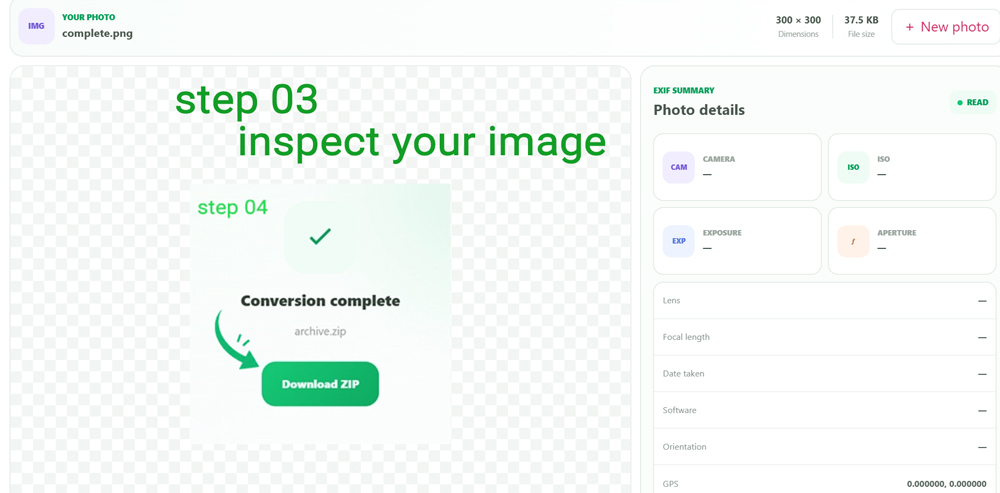
Review camera settings, date and GPS information
The summary brings common photography fields together: camera make and model, ISO, exposure time, aperture, lens, focal length, capture date, software and orientation.
If readable latitude and longitude values exist, GPS coordinates are displayed to six decimal places. If the image contains no readable GPS location, that field remains empty rather than inventing a location.
Search the complete readable metadata list
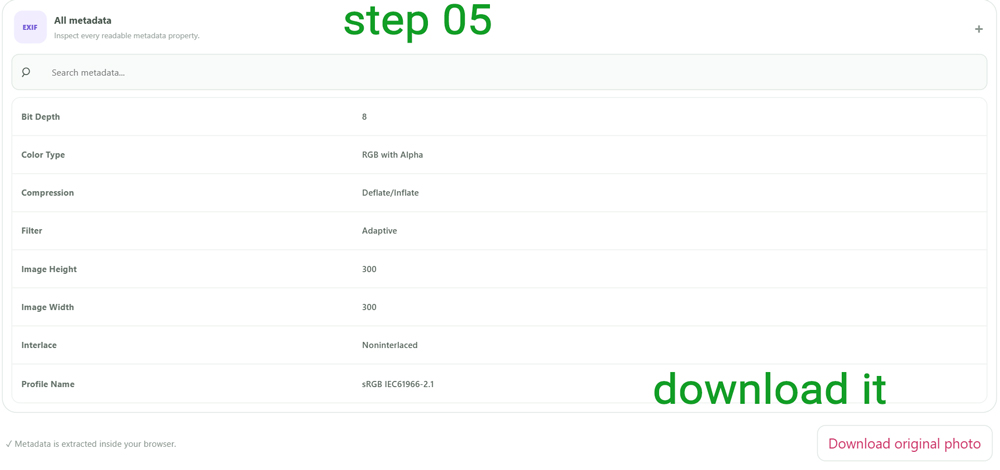
Open All metadata to move beyond the summary. The viewer lists readable non-object metadata properties alphabetically.
Use Search metadata to filter by either the
property name or its displayed value—for example
Model, Software, GPS or a
particular camera name.
Download the original photo without changing its metadata
The viewer is an inspector, not a metadata editor. It does not provide a control for rewriting or stripping EXIF fields.
Download original photo downloads the same file that was opened rather than creating a newly encoded image.
What is EXIF data?
EXIF is metadata commonly embedded in image files by cameras, smartphones and imaging software. Depending on the image, it can describe how and when the photo was produced.
Typical EXIF fields include camera make and model, ISO sensitivity, exposure time, aperture, focal length and capture timestamp. Some devices also store location coordinates.
Understand the photography information stored with the image
Sensor sensitivity
Displays the ISO value when the image contains a readable ISO metadata field.
Shutter time
Short exposures are presented as familiar fractions such as 1/250 s when possible.
Lens opening
F-number metadata is presented in a familiar form such as f/2.8.
Lens focal setting
Displays the focal length in millimeters when the value is available.
A photo can reveal where it was captured—but only if location data was stored
Some phones and cameras can save geographic coordinates with the image. When readable coordinates exist, this viewer exposes them in the metadata summary.
Many photos contain no GPS information at all, and social networks or image editors may remove metadata during processing. An empty GPS field therefore does not prove that a photo was never geotagged.
Capture date and file date are not always the same thing
For the summary, the viewer prefers DateTimeOriginal, then CreateDate, then ModifyDate when those values exist in the parsed metadata.
That metadata timestamp describes information stored inside the image and should not automatically be confused with the file creation or download time reported by your operating system.
Metadata extraction happens inside the browser workspace
The selected image is passed to the metadata-reading library in the browser and previewed from a local object URL. Inspecting metadata does not rewrite the original image.
Questions about viewing photo metadata online
How can I view EXIF data online?
Choose a supported photo in the viewer and its readable metadata will be extracted and displayed.
Can I see which camera took a photo?
If camera Make and Model metadata are present, the viewer combines them in the camera summary.
Can I check ISO and shutter speed?
Yes, when ISO and ExposureTime are present in the photo metadata.
Can I see the lens used to take a photo?
LensModel or Lens information is shown when one of those readable metadata values exists.
Can EXIF metadata contain GPS coordinates?
Yes. Supported images may contain latitude and longitude metadata, which this viewer displays when available.
Why does my photo show no EXIF data?
The image may never have contained those fields, or metadata may have been removed by editing, exporting, messaging or social-media processing.
Can I search all photo metadata?
Yes. All metadata includes a search field that filters readable scalar properties by field name or value.
Does this tool remove EXIF metadata?
No. This page is a metadata viewer, not an EXIF remover or editor.
Which image formats can I select?
The current input supports JPG/JPEG, PNG, WebP, HEIC, HEIF and TIFF images.
What is the current photo size limit?
The viewer rejects images larger than 100 MB.
Open your image and see which metadata actually travelled with it
Check camera settings, timestamps, lens information, GPS coordinates and the complete readable metadata list.