Open an APK package and explore the files hidden behind the Android app
An APK may look like a single Android application file, but internally it contains a package of files used by the app: compiled DEX code, resources, images, XML files, assets and other package data.
The APK extractor above opens that archive structure directly in your browser. You can search package paths, filter common file types, preview supported entries, download individual files, collect selected files into a ZIP or extract the package contents as a ZIP.
This APK extraction workspace is one of the file-inspection tools on Xplore File Manager, built for cases where understanding what a file contains is more useful than simply knowing its extension.
How to open and extract an APK file online
Start with the original APK, inspect the package index and extract only the files you need—or rebuild all extracted entries into a ZIP.
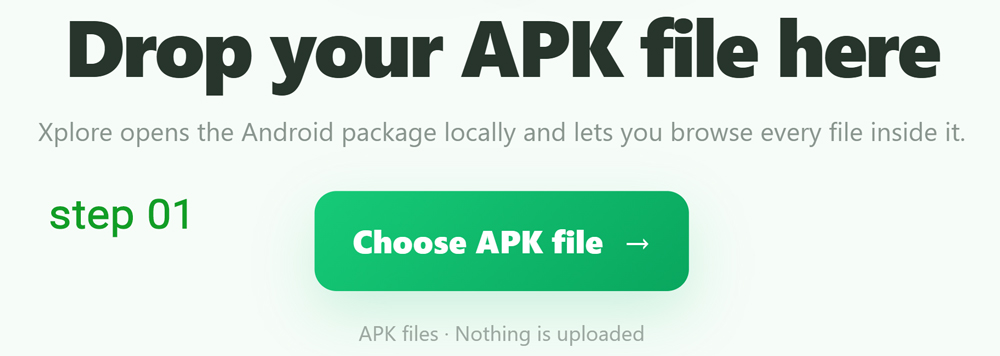
Choose the Android APK you want to inspect
Click Choose APK file or drag the .apk package into the upload area.
The current browser workspace accepts APK files up to 350 MB. After selection, the package is read and its internal archive index is built.
Let the extractor build an index of the APK contents
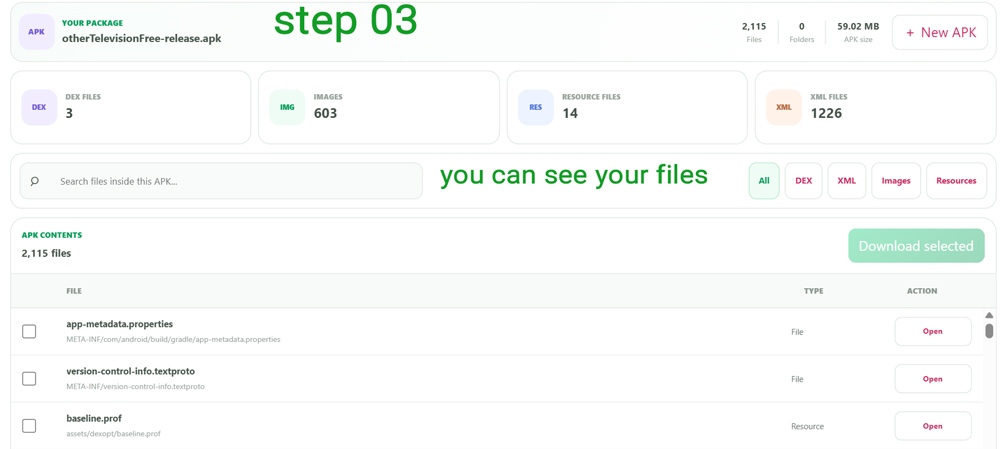
APK files use an archive-based package structure. The extractor opens that structure and indexes its files and folders before displaying the browser.
The summary counts normal files, folders, DEX entries, images, XML entries and files categorized as app resources.
Search the APK and filter DEX, XML, images or resources
Use Search files inside this APK when you know part of the path or filename you are looking for.
You can also filter the browser to DEX, XML, Images or Resources. This is useful when a large APK contains hundreds or thousands of entries and you only care about one type of package content.
Preview supported APK files before extracting them
Image entries can be displayed visually. Text-oriented formats such as TXT, JSON, XML, HTML, CSS, JavaScript, properties, SMALI and manifest-style text files can be shown as text when their contents are readable.
Other binary entries are not forced into an unreadable preview; the workspace instead gives you the option to download the file.
Extract one file, selected files or the complete APK contents
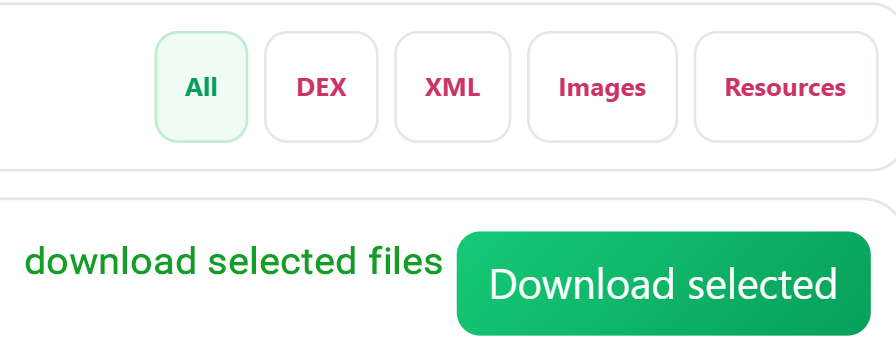
Download a single entry when you only need one asset. Select
several entries and use Download selected to
package those paths into apk-selected-files.zip.
To extract all indexed files, choose Extract all as ZIP. The resulting ZIP keeps the internal paths used by the APK entries.
What is inside an APK file?
APK is the package format commonly used to distribute Android applications. Rather than containing one standalone executable, an APK bundles multiple pieces needed by an Android app.
Depending on the application, you may encounter files such as classes.dex, resource directories, assets, images, Android XML data, native libraries and package metadata.
Know what the extractor means by DEX, image, XML and resource
Compiled app code
Entries matching names such as classes.dex or classes2.dex are grouped as DEX files.
Graphic assets
PNG, JPG, JPEG, WebP, GIF, BMP and SVG entries are categorized as images.
XML entries
Files ending in .xml are listed as XML. Some Android XML inside an APK may use a binary representation and may not be human-readable as plain source.
Package resources
Entries under res/, assets/ and resources.arsc are among the files grouped as application resources.
Why can an APK extractor browse the package like an archive?
APK packages use ZIP-compatible archive structure for their stored entries. That makes it possible to enumerate the paths and extract individual package files.
Opening an APK as an archive is not the same as verifying that the application is installable, trusted or correctly signed. This tool is focused on package inspection and extraction.
Inspect only the part of an Android package you actually need
Find an image asset
Filter image entries instead of manually searching through every path in the package.
Locate DEX files
Quickly identify the classes*.dex entries included in the APK.
Browse resource paths
Inspect files stored under resource and asset locations.
Extract a small subset
Select only the entries you need and download them together in one ZIP.
The APK archive is opened inside your browser
The selected package is read in the browser and its archive entries are processed there. Searching, filtering, previewing and rebuilding selected contents do not rewrite the APK stored on your device.
Questions about opening and extracting APK files
How do I extract an APK file online?
Choose the APK above, wait for its archive entries to be indexed, then download individual entries, selected files or choose Extract all as ZIP.
Can I see the files inside an APK?
Yes. The viewer lists indexed files and allows searching package paths and filtering common file categories.
Can I find classes.dex inside an APK?
Yes. Entries matching classes.dex, classes2.dex and similar names are classified as DEX files.
Can I preview images inside an APK?
Yes. Supported image entries can be rendered directly in the file preview.
Can I preview AndroidManifest.xml?
XML entries can be opened by the preview, but Android APKs can contain binary XML. Binary Android XML is not the same as ordinary readable XML source, so a human-readable manifest preview is not guaranteed.
Can I download only selected APK files?
Yes. Select the desired entries and Download selected creates a ZIP containing those selected package paths.
Can I extract the complete APK to ZIP?
Yes. Extract all as ZIP rebuilds the indexed non-folder entries into a new ZIP archive.
What is the APK size limit?
The current extractor rejects APK files above 350 MB because very large packages may exceed practical browser memory.
Does opening an APK verify that the app is safe?
No. Browsing an APK archive is not a security audit, malware scan, signature verification or guarantee that the application is safe to install.
Open the APK and extract only the files you need
Browse package paths, filter common resources, preview supported files and download individual or grouped entries.