Open the signed container without confusing certificate details with signature verification
A P7M file can look frustratingly opaque when what you really need is the document stored inside it. It may contain a PDF, image, XML file or another payload together with PKCS#7 certificate information.
The viewer above separates those pieces. It identifies the embedded content when present, calculates a SHA-256 hash, displays readable certificate metadata and previews file types the browser can show safely.
There is one important distinction: seeing a certificate in the container is not the same as independently proving that the cryptographic signature and certificate chain are trusted. This tool is for inspection and extraction; it does not present itself as a certificate-validation authority.
The signed-file reader is part of Xplore File Manager, where specialized file viewers are designed to show what a container actually holds instead of reducing every unfamiliar extension to a generic download button.
How to inspect a P7M signed file
Start with the container, then treat its embedded document and certificates as separate pieces of information. That makes the result much easier to understand.
Choose the P7M or PKCS#7 file
Click Choose P7M file or drag the signed container onto the viewer.
The current implementation accepts
.p7m, .p7s and
.pkcs7 filenames up to
120 MB. Empty files are rejected before parsing.
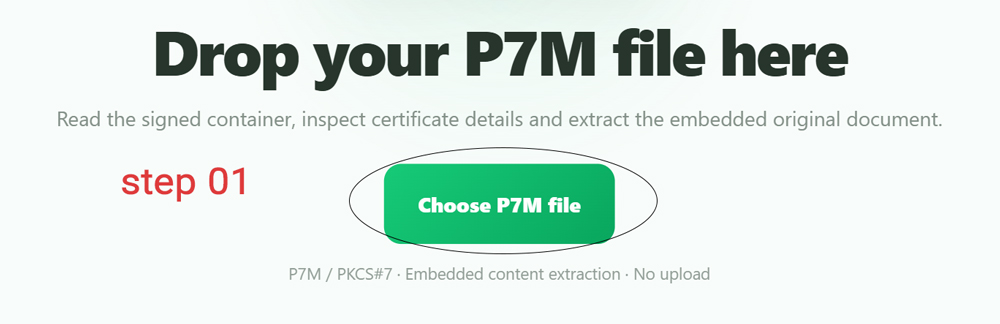
The viewer separates the container from the embedded content
Both PEM-style PKCS#7/CMS text and DER-encoded ASN.1 containers are passed through the PKCS#7 parser.
If the container includes its signed payload, the viewer extracts those bytes and works out a useful filename and MIME type. If the signature is detached, there may be certificate information but no embedded document to preview or download.
Check the content identity and certificate information separately
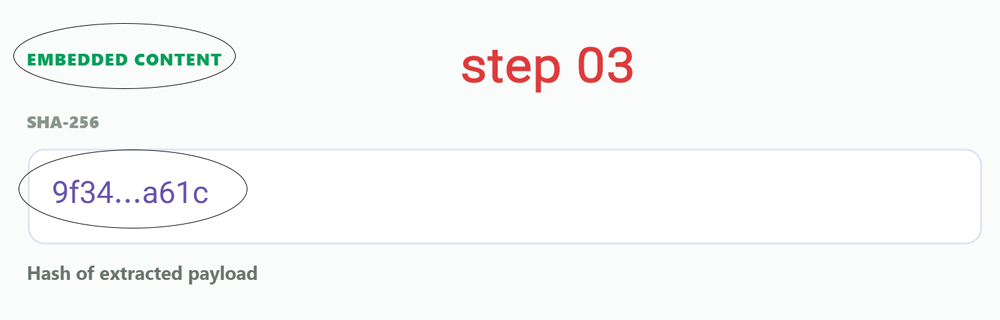
The workspace reports the detected embedded filename, file type, payload size and SHA-256 hash. The primary certificate area shows subject information, issuer, validity dates and serial number.
Additional certificates found in the container are listed below with organization, issuer, serial number and their stored validity period.
Preview the content when its format makes sense in a browser
Embedded PDFs receive a sandboxed browser preview. Supported image formats are displayed as images, while text, XML and JSON content can be shown as readable text.
The text preview is capped at roughly 500,000 characters. Other binary formats still remain downloadable even when the viewer has no useful visual preview for them.
Download the original embedded file
When embedded content is available, click Download Original File. The viewer creates the download directly from the extracted payload bytes rather than converting the document into another format.
For common files, the original extension is preserved when it is
already visible in a name such as
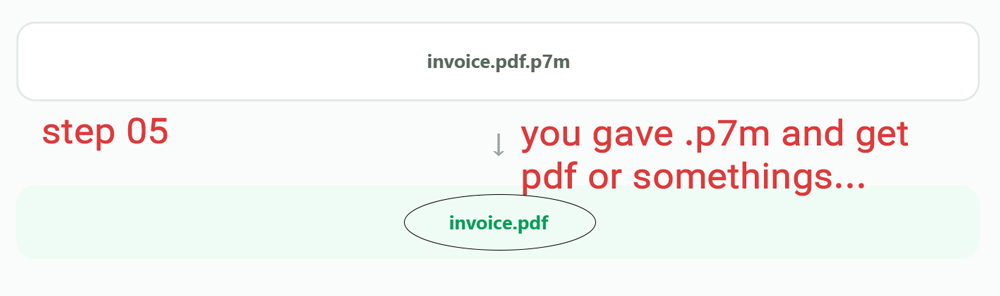
invoice.pdf.p7m. When there is no obvious underlying
extension, the viewer attempts basic file-type detection and can
fall back to .bin.
What is a P7M file?
P7M is commonly used as a PKCS#7/CMS signed-data container. Depending on how it was created, the container can include the original document together with certificates and signature-related structures.
That is why a filename may look like
invoice.pdf.p7m: the outer file is the signed container,
while the underlying payload may still be a PDF.
Certificate metadata is useful information—but it is not an independent signature validation
It can show certificates embedded in the PKCS#7 structure, their subjects, issuers, serial numbers and validity dates. Those details help you inspect the container. They should not be interpreted as a statement that the signer has been authenticated by a trusted authority or that the signature is cryptographically valid.
9f34...a61c
Hash of extracted payload
The displayed hash describes the extracted content, not the trustworthiness of the signer
When an embedded payload exists, the viewer calculates a SHA-256 hash of those extracted bytes and displays it with the content details.
A hash can be useful for comparing whether two copies of a document are byte-identical. It does not by itself establish who signed the file or whether a certificate should be trusted.
Two files with a PKCS#7 extension can still behave very differently
No document may be embedded
A detached signature can contain signing information without the original payload. In that case the viewer reports that there is no embedded content to preview or download.
A private key is a different requirement
PKCS#7 enveloped or encrypted data cannot simply be treated as a normal signed payload. The current viewer stops because a private key would be required for decryption.
PKCS#7 parsing and content extraction happen in the browser workspace
The selected file is read into browser memory, parsed by the PKCS#7 library and turned into a local preview or download when embedded content is available. The source P7M itself is not rewritten.
Questions about signed P7M and PKCS#7 files
How do I open a P7M file online?
Choose the signed file and let the viewer parse its PKCS#7 structure. Embedded content and readable certificate metadata are then shown in the workspace.
Can I extract the PDF from a .pdf.p7m file?
Yes, when that PDF is actually embedded in the container. The viewer can preview it and Download Original File saves the embedded content.
Does the tool verify that the digital signature is valid?
No. It reads PKCS#7 and certificate metadata but does not independently validate the cryptographic signature or certificate trust chain.
Can I see certificate information?
Yes. Subject or organization, issuer, serial number and validity dates are shown when readable certificates are embedded.
What is the SHA-256 value shown by the viewer?
It is the SHA-256 hash calculated from the embedded content bytes, when an embedded payload exists.
What happens with a detached P7S signature?
If there is no embedded payload, the viewer can report the container as detached and there will be no original file available for download.
Can the viewer decrypt encrypted PKCS#7 data?
No. Enveloped or encrypted PKCS#7 data requires a private key, and the current viewer does not provide that decryption workflow.
Which embedded files can be previewed?
PDFs, supported images and readable text-based content receive previews. Other binary files remain available for download without a visual preview.
What is the current file-size limit?
The current P7M viewer accepts files up to 120 MB.
Inspect the container, separate the certificate details and recover the embedded document
See what the P7M actually contains without turning certificate metadata into a claim the tool cannot verify.