Turn files inside a ZIP archive into a cleaner PDF workflow
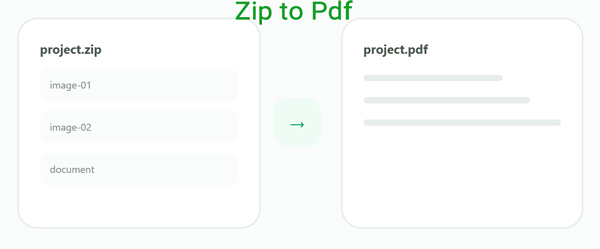
A ZIP file is useful for storing several files together, but it is not always the easiest format when the final result needs to be viewed, shared or saved as a PDF. The ZIP to PDF converter above opens the archive, checks the compatible content inside it and creates PDF output from the files the tool can process.
This is useful when someone sends you a compressed archive but the actual deliverable you need is a PDF rather than a folder full of separate files.

How to convert a ZIP file to PDF online
The workflow is simple: add the archive, inspect what the tool finds, choose the usable content and create the PDF result.
Add the ZIP archive
Drop your .zip file into the converter or choose it from your device. The archive can contain one or several files.

Let the converter inspect the archive
The ZIP is opened so the tool can identify files it is able to use for the PDF workflow. Files that are not compatible with the converter should not be treated as PDF content automatically.
Review the available items
When several compatible items are present, check the available file list and the order in which the content will be processed.
Create and download the PDF
Start the conversion and save the resulting PDF when processing is complete. Keep the original ZIP if you still need the archive structure later.

ZIP to PDF is more than renaming the file extension
ZIP and PDF serve completely different purposes. ZIP is an archive container designed to hold files together, while PDF is a document format designed for presenting pages and document content.
That means changing archive.zip to archive.pdf does not create a PDF. A real ZIP to PDF converter must first open the archive and then work with supported files stored inside it.
When converting a ZIP archive to PDF makes sense
Scanned document batches
A scanner or colleague may send many related files inside one ZIP. Creating PDF output can make that material easier to read and distribute.
Image collections
Archives containing compatible image files can be easier to review as document pages than as dozens of separate downloads.
Client deliveries
Convert an archive-based delivery into a PDF-oriented format when the recipient prefers a document instead of a compressed folder.
Document organization
A PDF can provide a more convenient final artifact when the archive was only being used as a temporary way to move files together.
ZIP vs PDF: why these formats are not interchangeable
- Stores multiple files in one archive
- Can contain many different file types
- Designed for packaging and compression
- Usually opened or extracted before use
- Designed around document pages
- Useful for reading and distribution
- Maintains a consistent document structure
- Commonly used for reports and printable content
Not every file stored in a ZIP can automatically become a PDF page
ZIP archives can contain almost anything: images, PDFs, documents, spreadsheets, applications, audio files or unrelated data. The converter can only create useful PDF output from file types it actually supports.
Keep the original ZIP until you verify the PDF result
Converting an archive into PDF output creates a different kind of file. Keeping the original ZIP gives you access to the source files and original folder structure if you need them again later.
Questions about converting ZIP to PDF
Can I convert a ZIP file to PDF online?
Yes. Add the ZIP archive to the converter and let the tool inspect the compatible content inside it before generating PDF output.
Can I rename .zip to .pdf?
No. Renaming the extension does not convert an archive into a PDF. ZIP and PDF use completely different file structures.
Can one ZIP contain several files?
Yes. That is one of the main purposes of ZIP archives. The archive may contain multiple files and folders.
What files inside a ZIP can be converted to PDF?
It depends on the file types supported by the converter. A ZIP can contain many kinds of data, so unsupported files cannot simply be treated as PDF pages.
Does ZIP to PDF keep the original ZIP file?
The PDF output is a separate result. Keeping the source ZIP is useful when you still need the original files or archive structure.
Is ZIP the same thing as a PDF portfolio?
No. ZIP is a general-purpose archive container. PDF is a document format with a page-oriented structure.
Open the archive. Create the document you actually need.
ZIP to PDF is part of Xplore File Manager, a collection of focused online tools for working with archives, documents and everyday file formats.