Package PDF files into one convenient ZIP archive
When you have several PDF files to send, store or download together, creating a ZIP archive can be much cleaner than handling every document separately. The PDF to ZIP converter packages your PDFs into an archive while keeping the individual PDF files inside.
The result is useful for document batches, client deliveries, reports, invoices, study material and any workflow where multiple PDFs belong together but should remain separate files.
How to convert PDF files to ZIP online
PDF to ZIP is mainly a packaging operation. Your PDFs stay as PDF files and are collected inside one archive.
Choose one or multiple PDF files
Add the documents you want inside the ZIP archive. A PDF to ZIP workflow is especially useful when several related PDFs need to travel together.
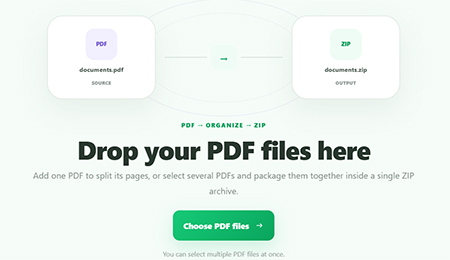
Check the files in your PDF batch
Review the selected PDFs before creating the archive. Remove files that do not belong in the final package and add any documents that are missing.
Build the ZIP archive
Start the process and let the tool collect the selected PDF files inside a ZIP container. The documents remain individual files rather than being merged into one PDF.
Save the ZIP file
Download the completed archive and send, store or move the batch as one file. The PDFs can be extracted from the ZIP whenever they are needed again.

PDF to ZIP does not mean merging PDFs
A ZIP archive groups files together, but the PDFs inside it remain separate documents.
If you place five PDFs into one ZIP, you still have five PDF files after extracting the archive. This is different from a PDF merge, where several documents become pages of one larger PDF.
Why package PDF files into a ZIP archive?
One download instead of many
A group of PDFs can be delivered as one ZIP instead of requiring the recipient to download every document separately.
Keep documents grouped
Contracts, appendices, invoices, reports or course files can stay together while remaining individual PDFs.
Easier file transfer
Some workflows are easier when one archive is uploaded, attached or transferred instead of a long list of separate files.
Cleaner storage
Archive older PDF batches together while still preserving the individual documents inside the ZIP.
A ZIP archive does not guarantee dramatically smaller PDFs
PDF files often already contain compressed text, images and other data. Because of that, putting a PDF into ZIP may reduce its size only a little — and sometimes the difference can be negligible.
The main advantage of PDF to ZIP is usually packaging several files together, not promising a major reduction in document size.
Useful situations for a PDF to ZIP converter
PDF to ZIP, Merge PDF or Compress PDF?
| Your goal | Best action | Result |
|---|---|---|
| Put several PDFs in one downloadable package | PDF to ZIP | One ZIP containing separate PDFs |
| Turn several PDFs into one document | Merge PDF | One combined PDF |
| Reduce the size of a PDF itself | Compress PDF | A smaller PDF when compression is possible |
Packaging PDFs does not require changing their pages
Creating a ZIP is fundamentally different from re-encoding or editing a PDF. The archive acts as a container around the files, allowing the original PDFs to remain separate documents inside the package.
Questions about converting PDF to ZIP
Can I convert PDF files to ZIP online?
Yes. Add your PDF files, build the archive and download the resulting ZIP package.
Can I put multiple PDFs into one ZIP file?
Yes. Packaging multiple PDFs together is one of the most useful reasons to create a ZIP archive.
Does PDF to ZIP merge my PDF documents?
No. The PDFs remain separate files inside the ZIP. Merging PDFs is a different operation that combines pages into one PDF document.
Will ZIP make my PDFs much smaller?
Not necessarily. PDFs often already use compression internally, so putting them into a ZIP may produce only a modest size reduction.
Can I extract the PDFs again later?
Yes. A ZIP archive can be opened or extracted later to access the individual PDF files stored inside it.
Is PDF to ZIP the same as compressing a PDF?
No. PDF compression modifies the PDF itself in an attempt to reduce its size. PDF to ZIP packages one or more PDFs inside an archive.
Why would I ZIP PDFs before emailing them?
A ZIP can make a multi-document delivery easier to manage by turning several separate PDF attachments into one archive file.
Turn a folder of PDFs into one easier package
PDF to ZIP is part of Xplore File Manager, a growing collection of focused file tools for PDFs, ZIP archives and everyday document workflows.