A damaged ZIP does not always mean every file inside it is lost
ZIP archives contain both compressed file data and structural information that tells extraction software where those files are. When part of that structure is damaged, a normal unzip operation may fail even though some stored file data remains readable.
The ZIP repair tool above first attempts normal extraction. If that fails, it scans ZIP local file headers to find entries that can still be recovered, lets you choose the readable files and rebuilds those files into a fresh ZIP archive.
ZIP Repair is part of Xplore File Manager, where archive tools focus on practical recovery, inspection and extraction workflows rather than treating every ZIP problem as the same kind of failure.
How to repair a damaged ZIP file online
The important part of ZIP recovery is not pretending every damaged archive can be fixed. The goal is to identify file data that is still readable and rebuild only what can be recovered safely.
Choose the ZIP archive that will not open correctly
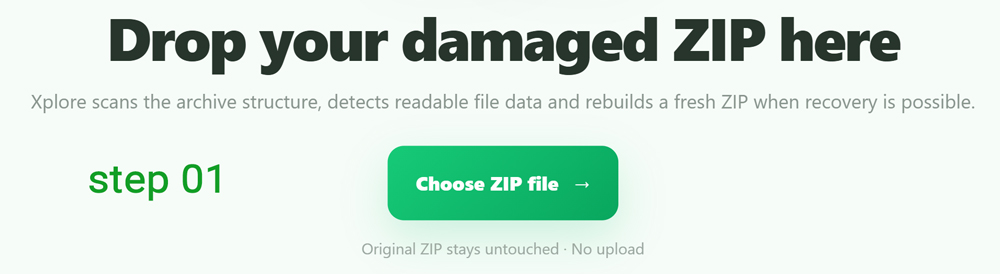
Click Choose ZIP file or drop the damaged .zip archive into the recovery area.
The current repair workspace accepts ZIP files up to 500 MB. The original archive remains separate while the scanner works from its bytes in the browser.
The scanner tries normal ZIP extraction first
A ZIP that appears damaged elsewhere may still have enough valid structure for a standard archive reader to open it.
The recovery process therefore tries normal ZIP extraction before moving to the deeper local-header scan. If normal extraction succeeds, the entries are already marked as recoverable.
Review which files are recoverable and which are unreadable
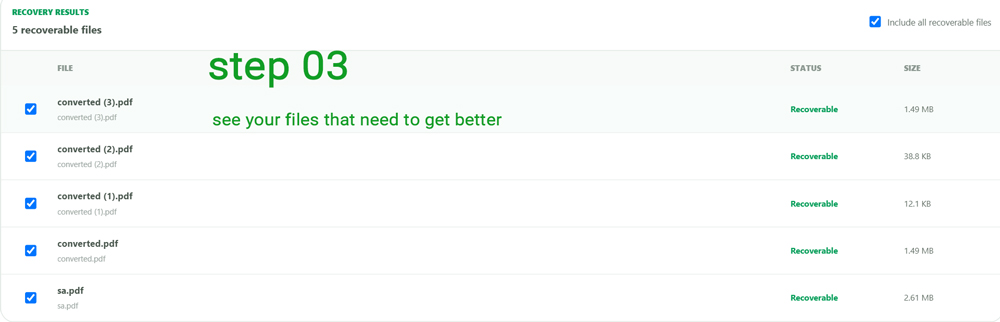
After scanning, the recovery report separates entries that can be rebuilt from those that cannot be recovered safely.
Recoverable entries are selected by default. You can deselect files you do not need or use Include all recoverable files to control the entire group.
Rebuild the readable files into a new ZIP structure
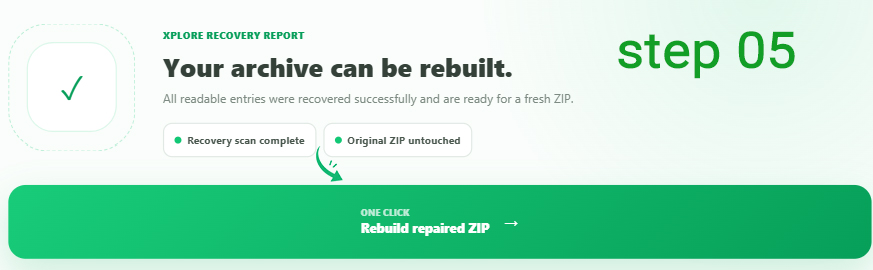
Click Rebuild repaired ZIP after choosing the files you want to keep.
The recovered file data is packaged into a fresh ZIP archive using new archive structure rather than trying to modify the damaged ZIP in place.
Download the newly rebuilt ZIP archive
When rebuilding succeeds, the result appears as REPAIRED ZIP READY.
Click Download repaired ZIP. The result uses the
original archive name with -repaired.zip appended,
while the damaged source ZIP stays untouched.
A ZIP archive can have damaged directory information while local file records survive
ZIP archives normally contain directory information used to locate their stored entries. Damage near that part of the archive can make normal extraction fail.
Individual ZIP entries also begin with local file headers. When the normal archive index cannot be used, the repair tool scans the raw archive bytes for those local-header signatures and tries to recover readable entry data directly.
The recovery scanner does not treat every compressed entry as recoverable
Method 0
Uncompressed stored entries can be recovered directly when their file data is still present.
Method 8
Deflate-compressed entries are passed through the decompressor and kept only when decompression succeeds.
Not salvaged here
Entries marked as encrypted are classified as unreadable by the local-header recovery path.
May remain unreadable
Truncated or physically corrupted compressed data cannot be recreated simply by rebuilding the ZIP directory.
Repair means salvaging readable data–not reconstructing bytes that no longer exist
If an archive's directory records are broken but the compressed bytes of individual files remain intact, those files may still be recoverable.
If the actual file bytes are missing, truncated, encrypted or damaged beyond successful decompression, rebuilding the surrounding ZIP structure cannot recreate that lost content.
The repair workflow creates a new archive instead of overwriting the damaged one
Recovery works from the selected ZIP data and produces a separate rebuilt archive. The original damaged ZIP file on your device is not rewritten by the repair process.
Questions about repairing damaged ZIP archives
Can I repair a corrupted ZIP file online?
The tool can scan a damaged ZIP and rebuild a new archive when readable entries can still be recovered.
What happens if the ZIP central directory is damaged?
If normal extraction fails, the tool scans for local ZIP file headers and attempts to recover entries directly from them.
Can a ZIP be partially recovered?
Yes. Recoverable and unreadable entries are listed separately, so readable files can still be rebuilt even if other entries fail.
Can encrypted ZIP files be repaired?
Encrypted entries encountered by the local-header recovery path are marked unreadable rather than decrypted.
Which ZIP compression methods can the deep scan recover?
The local-header recovery code directly handles Stored entries (method 0) and Deflate entries (method 8).
Can ZIP repair recover physically missing data?
No. Data that is missing or too corrupted to decompress cannot be recreated from the ZIP structure alone.
Can I choose which recovered files go into the repaired ZIP?
Yes. Recoverable files have individual selection controls and can be included or excluded before rebuilding.
Does ZIP repair overwrite the original archive?
No. A fresh ZIP is created separately from the damaged source.
What will the repaired ZIP be called?
The current tool appends -repaired.zip to the original archive basename.
What is the ZIP file size limit?
The current repair tool accepts ZIP files up to 500 MB.
Scan the damaged ZIP before assuming everything inside it is gone
Find recoverable entries, choose the files worth keeping and rebuild them into a clean new ZIP.