Converting a RAR file shouldn't feel technical.
Most of the time, you don't need to know how an archive was compressed or which program originally created it. You simply have a RAR file and need a ZIP file that is easier to open, share or use on another device.
That's exactly what this converter is built for. Choose the RAR archive, let Xplore read its contents, and download the same files inside a new ZIP archive.
How to convert RAR to ZIP online
Four simple steps. No archive software to install and no complicated settings to figure out first.
Choose your RAR archive.
Click Choose RAR file or drag the archive directly into the upload area above. The converter checks that the file actually looks like a RAR archive before it starts doing any work.
This helps catch renamed or unsupported files early instead of making you wait for a conversion that could never succeed.

Xplore reads what's inside.
Once you start the conversion, the browser opens the archive and reads its folders and files. The original structure is kept so your new ZIP still makes sense when you open it later.
For this tool, the conversion is performed in your browser rather than intentionally sending the RAR archive to Xplore for processing.
The files are rebuilt as a ZIP.
After the RAR contents are extracted, Xplore packages those files into a fresh ZIP archive. You're not changing the documents, images or folders themselves — only the archive that contains them.
The resulting ZIP may not have exactly the same file size as the original RAR. Different archive formats and compression methods can produce different results even when they contain the same files.
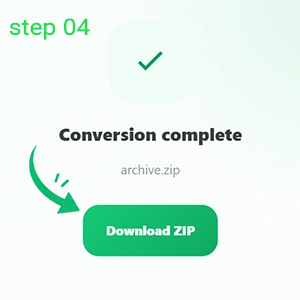
Download the finished ZIP.
When the progress bar reaches 100%, you'll see the output filename, number of files and final archive size. Click Download ZIP and save the converted archive to your device.
That's the whole process. There is no extra extraction step unless you actually want to open the ZIP afterward.
Why convert a RAR archive to ZIP?
RAR isn't a bad format. Sometimes ZIP is simply the more convenient format for what you need to do next.
Easier compatibility
ZIP support is built into many operating systems, browsers and file managers, so the recipient may not need additional archive software.
Easier sharing
If you're sending an archive to someone who isn't familiar with RAR, a ZIP file can remove an unnecessary step for them.
Better for certain uploads
Some websites and services accept ZIP archives but don't accept RAR. Converting the container can solve that compatibility problem.
RAR and ZIP do the same kind of job, but they're not identical.
| RAR | ZIP | |
|---|---|---|
| Main purpose | Compressed archive | Compressed archive |
| Built-in OS support | Varies by device | Very common |
| Good for sharing | Yes | Especially convenient |
| Same compression result? | Not necessarily — archive size can differ after conversion. | |
A few useful things to know.
Most normal RAR archives should be straightforward. A few types need special handling, though, and it's better to know that before you spend time troubleshooting the wrong thing.
The current version of this converter does not open encrypted RAR archives. If your archive asks for a password, conversion will stop instead of trying to bypass the protection.
Files such as part1.rar, part2.rar and similar
multi-volume archives are not supported by this browser version yet.
Browser-based conversion uses your device's available memory. Huge archives may work differently on a desktop with plenty of RAM than they do on a phone.
Conversion can't repair a broken RAR archive. If important data inside the original archive is already corrupted, creating a ZIP won't restore it.
A few questions that usually come up.
Does converting RAR to ZIP change my files?
The goal is to keep the files and folder structure while changing the archive format around them. The documents, images and other files aren't intentionally converted into different file types.
Will the ZIP file be smaller than the RAR file?
Not necessarily. RAR and ZIP can use different compression methods, so the final archive may be smaller, larger or very similar in size. RAR-to-ZIP conversion is mainly about compatibility rather than guaranteeing a smaller file.
Do I need WinRAR to use this converter?
No. The converter runs through your web browser, so you don't need WinRAR or another desktop archive program just to create the ZIP.
Is my RAR file uploaded to Xplore?
This converter is designed to perform the archive processing inside your browser. The tool's code and archive engine are loaded in the browser, while the RAR itself is not intentionally sent to Xplore for conversion.
Why won't my password-protected RAR convert?
The current version does not process encrypted RAR archives. It also doesn't attempt to guess, crack or bypass archive passwords.
Why can a very large RAR fail on my phone?
Browser conversion needs enough available memory to read the archive, extract its contents and build the ZIP. Phones and older devices may have less memory available for large archive jobs.
One RAR file in. One useful ZIP file out.
No need to turn a simple archive conversion into a software project. Choose the file above, let the browser do the work and download the result.
Convert RAR to ZIP