Read an EML without importing it into your inbox
If a saved .eml comes with a support ticket or project, open it here to read the original email and see which files came with it.
Start in Message to check the sender, recipients, date and body. Open Attachments for the file list, or Headers to see the original header fields.
The viewer reads the message locally and leaves the original .eml file intact.
The EML reader is part of Xplore File Manager, a collection of browser-based utilities for opening files that are otherwise inconvenient to inspect without dedicated desktop software.
How to open an EML email file online
You do not need to import the message into an account. Open the saved file directly, check the message itself, then deal with attachments only if you actually need them.
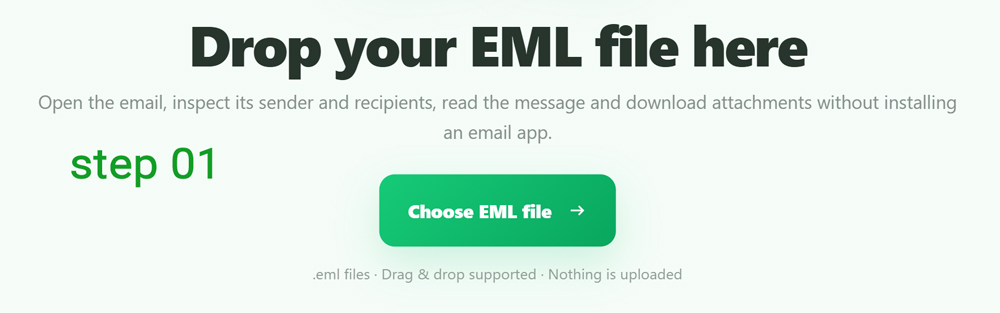
Choose the EML message
Click Choose EML file or drop the saved message onto the upload area.
The current viewer accepts EML files up to 50 MB. Empty files or files that cannot be read as an email message are rejected instead of opening an empty workspace.
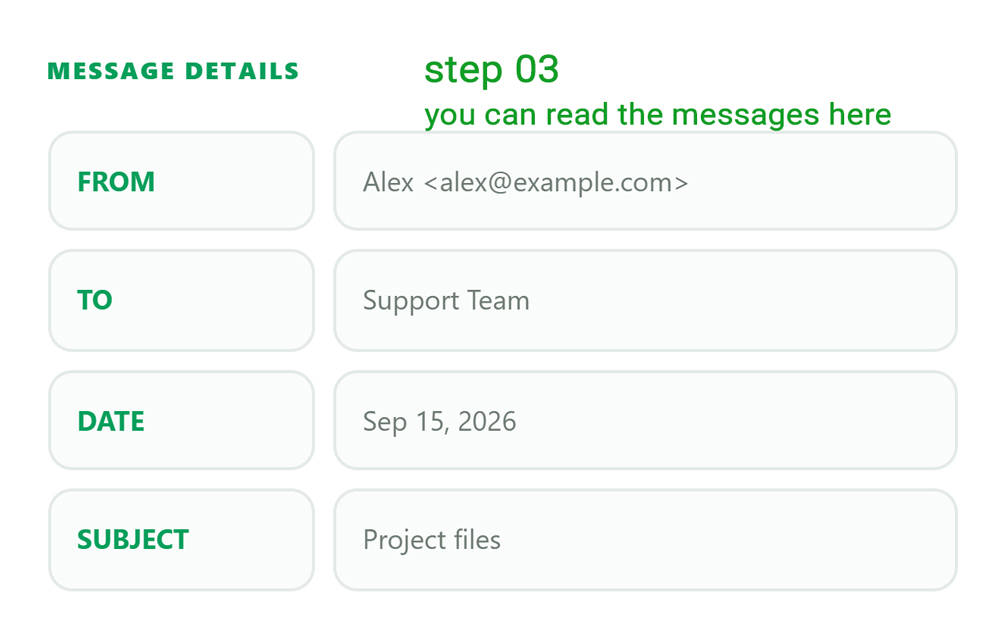
Check who the message came from
Once the email opens, start with the basic message information: From, To, CC, Date, Subject and Message ID where those fields exist.
This is useful when an EML has been forwarded around as a file and you need to understand the original message rather than the email that carried the attachment.
Read the message in plain text or HTML
Many emails contain both a simple text version and a richer HTML version. Use the body tabs to move between them when both are present.
The HTML preview is intentionally more cautious than a normal inbox. Active content is stripped and remote images are not fetched automatically, so some newsletters and heavily designed emails may look simpler than they do in a mail client.
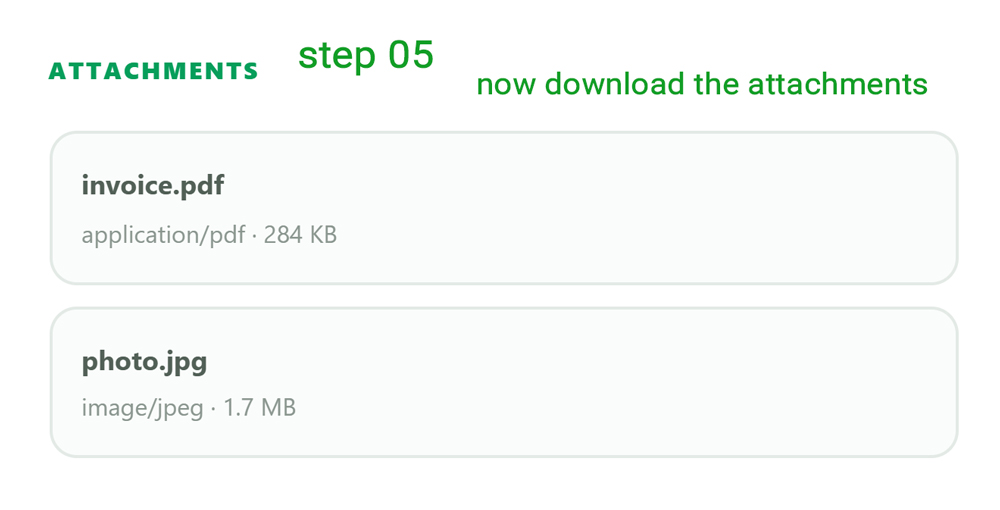
Look through the attached files before downloading anything
If the message contains attachments, they are listed separately with their filenames, file type and size where that information can be determined.
That makes it easier to identify the one file you need instead of treating the whole EML as one opaque download.
Save an attachment or download the original email
Each attachment has its own download control, so there is no need to export every file just to retrieve one document.
You can also use Download original if you simply want another local copy of the same EML after inspecting it.
What is an EML file?
An EML file is a saved email message. It can contain message headers, sender and recipient information, timestamps, plain-text content, HTML content and MIME attachments.
Instead of representing an entire mailbox, one EML normally represents one message. That makes the format convenient for archiving or sharing an individual email while keeping more of the original message structure than a screenshot or copied text would.
Why can the same email contain two versions of its body?
Simple and easy to inspect
Plain text contains the readable message without layout, images, buttons or visual formatting. It is often the clearest option when you only care about what the sender wrote.
Richer formatting
HTML can include tables, styled text and image references. The viewer sanitizes this content before displaying it, so unsafe or remotely loaded elements may not appear exactly as they would in an inbox.
An EML viewer is most useful when you only need to inspect the message
If someone sends you an EML as part of a project, legal record, support case or old backup, importing it into your everyday inbox can be overkill.
A viewer lets you answer the simpler questions first: What does the message say? Who sent it? When was it sent? Is there an attachment I actually need?
The message is parsed in the browser workspace
The EML is read locally by the page and its MIME structure is parsed in browser memory. HTML messages are displayed in a restricted preview and remote images are not automatically loaded by the viewer. Opening the message does not rewrite the original EML file.
Common questions about opening EML files
How do I open an EML file online?
Choose the .eml file in the viewer above. Once parsed, the message details, body and available attachments are shown in the workspace.
Do I need Outlook or Thunderbird to read EML?
Not for basic inspection here. The viewer reads the saved message directly in the browser.
Can I see HTML email content?
Yes, when an HTML body is present. The HTML preview is sanitized before it is displayed.
Why do some email images not appear?
Remote images are not automatically requested by the HTML preview, and some embedded image references may therefore not render like they do in a normal mail client.
Can I download EML attachments?
Yes. Parsed attachments are listed separately and can be downloaded individually.
Can I see CC recipients?
Yes, when CC recipient information exists in the parsed message.
Can I edit the email?
No. This page is a viewer rather than an email editor or sending client.
What is the EML size limit?
The current viewer accepts EML files up to 50 MB.
Does opening the EML change the original file?
No. The source EML remains unchanged on your device.
Read the EML before deciding what you need from it
Check the sender, body and attachments without importing the message into your inbox.