Open a saved Outlook message without needing Outlook just to read it
MSG files are common in workplaces where emails are dragged out of Microsoft Outlook and saved alongside project documents, customer records or case files.
The problem usually appears later: you have the message file but not the Outlook environment it came from.
The MSG viewer above reads supported Outlook message properties so you can inspect the subject, sender, recipients, date, message body, attachments and internet headers when those fields exist.
The Outlook message reader is part of Xplore File Manager, a collection of file tools for opening formats that normally depend on a particular desktop application.
How to open an Outlook MSG file online
A MSG is more structured than a plain text email export, so the viewer first needs to read its Outlook message properties before the email can be presented in a familiar form.
Choose the Outlook MSG file
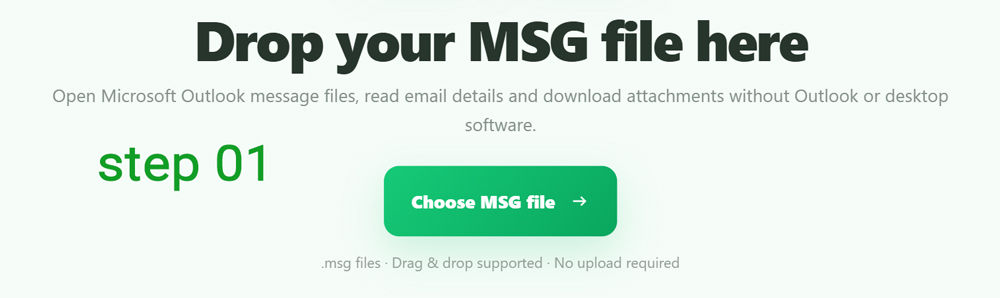
Click Choose MSG file or drop a .msg message onto the viewer.
The current browser version accepts MSG files up to 100 MB. The file needs to contain a readable Outlook message structure before the workspace can be displayed.
Inspect the Outlook message properties
The reader exposes familiar email information from the structured MSG properties: subject, sender, To recipients, CC, BCC, message date and other available identifiers.
The viewer also shows the Outlook Message Class when the property can be read, which can help distinguish an ordinary mail item from other Outlook-style message objects.
Read the Outlook message body
The reader uses the plain-text message body when available and can also display an HTML version when the MSG contains one.
HTML is shown inside a restricted preview. Remote image requests and active page elements are not treated like a normal browser page, so a heavily formatted Outlook message may look a little plainer here.

Check attachments and internet message headers
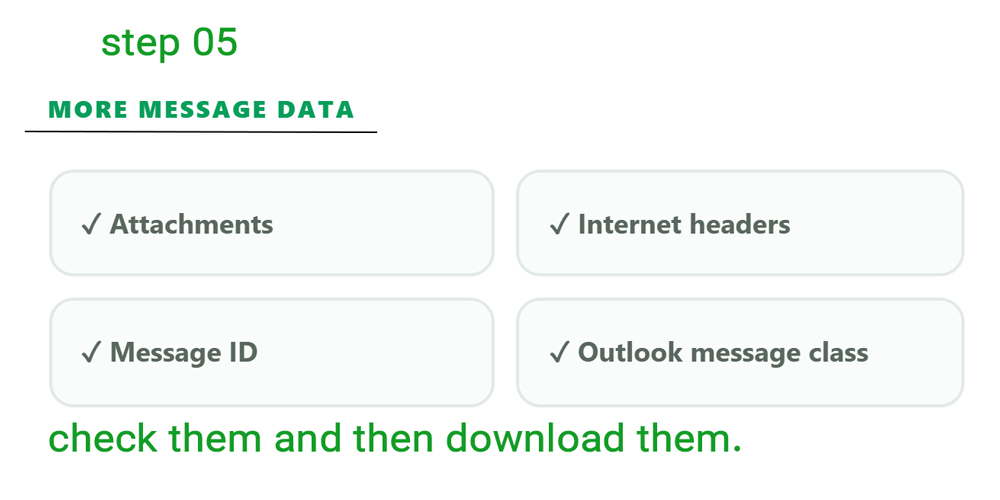
Visible attachments are listed separately with the filename and available type or size information. Each supported attachment can then be extracted on its own.
If the MSG contains stored internet message headers, they can also be expanded and inspected below the message.
Download an attachment or keep the original MSG
Use the Download control beside a supported attachment when you need a file stored inside the Outlook message.
The original .msg can also be downloaded again from
the workspace without being converted or rewritten.
What is an MSG file?
MSG is a structured message format commonly produced by Microsoft Outlook when an email or another Outlook item is saved as a file.
Unlike EML, an MSG is not simply a readable RFC-style email document. Its properties are stored inside a structured container, which is why renaming an MSG to EML does not turn it into the other format.
Both can represent an email, but the files are built differently
| Feature | MSG | EML |
|---|---|---|
| Common origin | Microsoft Outlook | Many email clients and exports |
| Internal form | Structured Outlook properties | RFC/MIME-style email data |
| Attachments | Can contain attachments | Can contain attachments |
| Readable as plain source | Not conveniently | More text-oriented |
Internet headers can provide details that are not visible in the normal message view
When an MSG contains stored internet headers, the viewer exposes them in a separate expandable section.
Headers can contain technical routing and MIME information, but their presence depends on how the message was created and saved. Not every MSG will include the same header set.
Why might an attachment fail to extract from some MSG files?
MSG files can store attachments in several Outlook-specific ways. The viewer lists normal visible attachments that the browser MSG reader can expose. A damaged attachment or an unusual embedded Outlook object may not behave like an ordinary PDF, image or document and may not be extractable through the same path.
Useful situations where installing Outlook would be unnecessary
Old saved project email
Read a message stored alongside contracts, designs or customer documents.
Someone sent you an MSG
Inspect a colleague's saved Outlook message even when your own mail setup is different.
You only need the enclosed file
Open the message long enough to retrieve a supported attachment without importing the email.
The Outlook file is parsed in your browser
The MSG is read from your selected file and its supported message properties and attachments are inspected in browser memory. HTML content is displayed through a restricted preview, and reading the message does not alter the source MSG file.
Questions about opening Outlook MSG files
How can I open an MSG file without Outlook?
Choose the .msg file in the viewer above. Supported Outlook message properties are parsed and displayed directly in the browser.
Can I read the message body?
Yes. The viewer displays plain text when available and can also show a sanitized HTML body.
Can I see To, CC and BCC recipients?
Yes, when those recipient properties are present and readable in the MSG.
Can I download MSG attachments?
Visible supported attachments are listed individually and can be extracted through their Download controls.
Can I view Outlook internet message headers?
Yes, when the MSG contains stored internet headers. The section stays hidden when those headers are not available.
Is MSG the same as EML?
No. Both can represent email messages, but MSG stores Outlook-style structured properties while EML uses a MIME/RFC-style message format.
Can I rename .msg to .eml?
Renaming the extension does not convert the internal message structure, so it is not a real MSG-to-EML conversion.
What is the current MSG size limit?
The current browser viewer accepts MSG files up to 100 MB.
Does opening the MSG modify it?
No. The source Outlook file remains unchanged.
Read the MSG and retrieve what you need without opening Outlook
Inspect message properties, read the body and download supported attachments directly from the saved file.