Check a vCard backup before importing your contacts
A VCF file can hold one contact or an entire address book. If you find an old phone backup, open it here to see which contacts it contains before you import them.
Use Search contacts to find a name, company, phone number or email. Select a result to see details like its address, birthday and notes, when available.
Select Download this contact to save just that entry as a new .vcf file.
This contact reader is part of Xplore File Manager, a collection of browser-based file tools that make it easier to inspect unfamiliar files before importing, converting or reorganizing them.
How to open and browse a VCF contact file
Open the contact file, search the list and select the contact you want to view.
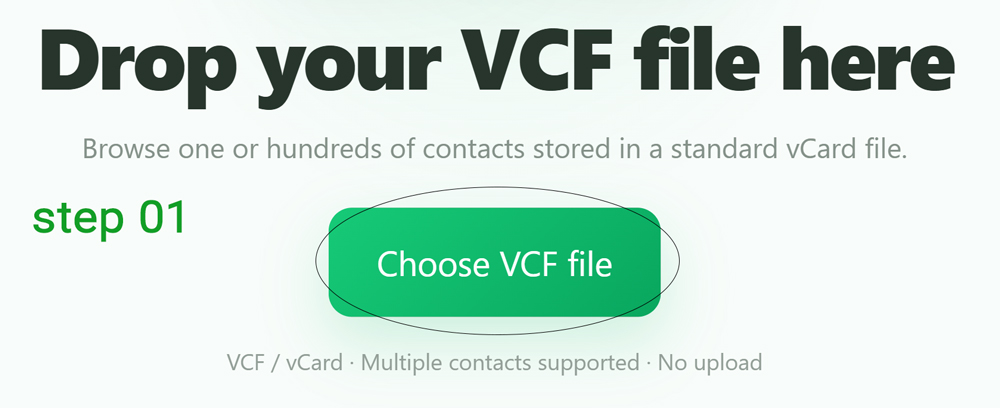
Choose the VCF file
Click Choose VCF file or drag the
.vcf contact file onto the viewer.
The current browser version accepts VCF files up to
40 MB and can read multiple
BEGIN:VCARD ... END:VCARD contact blocks from the
same file.
Let the viewer turn raw vCard fields into readable contacts
vCard files are text-based, but their raw structure is not very pleasant to scan manually. The viewer identifies each contact block and reads the common contact properties it understands.
Folded lines are joined before parsing, escaped commas, semicolons, backslashes and line breaks are cleaned, and Quoted-Printable values are decoded where the file marks them that way.
FN:Alex Rivera
TEL:+1 555 0198
EMAIL:alex@example.com
↓
Readable contact
Search the contact list and choose a person
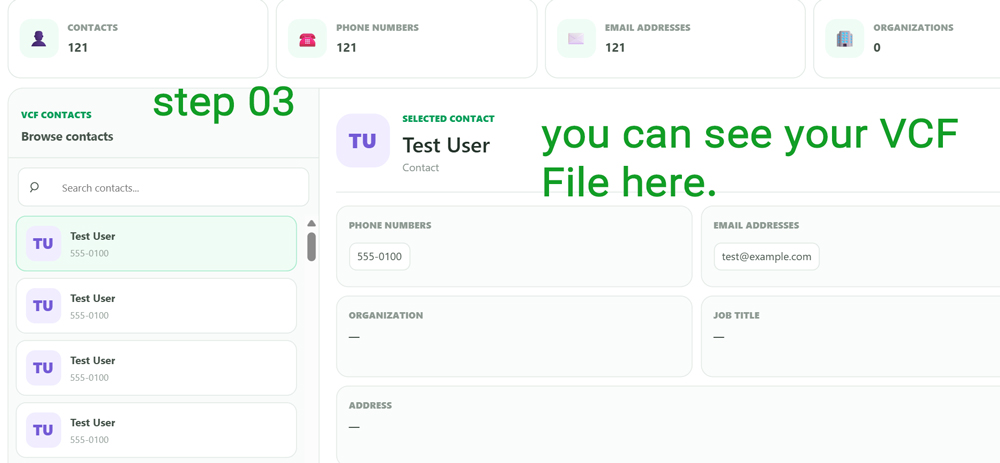
The workspace reports the total number of contacts, phone numbers, email addresses and contacts with organization information.
Use Search contacts when the file contains many people. The current search matches contact name, organization, phone numbers and email addresses.
Review the details stored for the selected contact
A contact can contain much more than a name and phone number. The detail panel shows available phone numbers and emails along with organization, job title, address, birthday, website and notes.
Missing fields simply appear empty rather than preventing the rest of the contact from being viewed.
Download only the selected contact
If the original VCF contains hundreds of people but you only need one, click Download this contact.
The selected vCard block is saved as its own
.vcf file using the contact name as the basis for
the download filename.
What is a VCF file?
VCF stands for vCard file. It is a text-based contact format used to exchange people and address-book information between phones, contact managers, email applications and other software.
A single file can contain one vCard or many vCards placed one after
another. Each contact is wrapped between
BEGIN:VCARD and END:VCARD.
BEGIN:VCARD
VERSION:3.0
FN:Alex Rivera
TEL:+1 555 0198
EMAIL:alex@example.com
END:VCARD
Which vCard fields can you inspect here?
Name
The viewer uses the formatted name and can build a readable name from the structured name field when needed.
Phones and emails
Multiple phone numbers and multiple email addresses can be shown for the same contact.
Organization and title
Company or organization information and the stored job title are shown when present.
Address and personal fields
Address, birthday, website and notes can also appear in the contact detail panel.
Search is intentionally focused on the details people usually remember
The viewer currently filters contacts using the name, organization, phone-number text and email-address text.
It does not perform a full-text search across notes, birthdays or every possible custom vCard field. If you remember a person's name, company, number or email, that is the best place to start.
vCard files are not all identical
Contact exports can come from different generations of software. This viewer is aimed at common vCard 2.1, 3.0 and 4.0-style contact data, but it focuses on a practical set of everyday fields rather than every extension the vCard ecosystem has ever defined.
If a contact contains custom X- properties, photos,
cryptographic data or application-specific fields, those values may
remain in the original VCF without receiving their own visual field
in this viewer.
The contact file is parsed in your browser
The selected VCF is read by the page and its contacts are parsed in browser memory. Viewing a contact does not edit the source file on your device, and downloading one contact creates a separate VCF.
Questions about opening vCard contact files
How do I open a VCF file online?
Choose a .vcf or .vcard file and select a person in the contact list once it opens.
Can a VCF file contain more than one contact?
Yes. A single VCF can contain many consecutive vCard contact blocks, and this viewer lists them separately.
Can I search contacts inside the VCF?
Yes. Current search matching covers name, organization, phone numbers and email addresses.
Can one contact have several phone numbers?
Yes. Multiple TEL values are collected and displayed for the selected contact.
Can I download just one contact?
Yes. Select the contact and use Download this contact to create a separate .vcf file for that person.
Does the viewer show contact notes?
Yes, when a NOTE value is present in the contact.
Does it show every possible vCard property?
No. The viewer focuses on common contact information such as names, phones, emails, organization, title, address, birthday, website and notes.
What is the current VCF size limit?
The current browser viewer accepts VCF files up to 40 MB.
Does opening the VCF modify my contacts?
No. Reading the file does not rewrite the original VCF.
Browse the VCF first and import only when you know what is inside
Search names, inspect contact details and download an individual vCard when that is all you need.