Open a PSD file and inspect the design before opening Photoshop
A Photoshop document can contain far more than the image you see on the surface. It may include separate text, image, shape, smart-object and adjustment layers, along with document information such as canvas size, color mode, bit depth and channel count.
The PSD viewer above gives you a practical way to inspect a supported .psd file directly in your browser. You can preview the complete design, browse its readable layer structure, inspect individual layers, zoom into the artwork and export the visible composite or a supported raster layer as PNG.
This PSD workspace is one of the browser-based file tools available on Xplore File Manager, built for situations where you need to understand what is inside a file before deciding what to do with it.
How to open and view a PSD file online
You do not need to manually extract the Photoshop document or convert it before taking a look. Start with the original PSD and use the workspace to move from the complete design down to individual layers.
Choose the PSD file you want to inspect
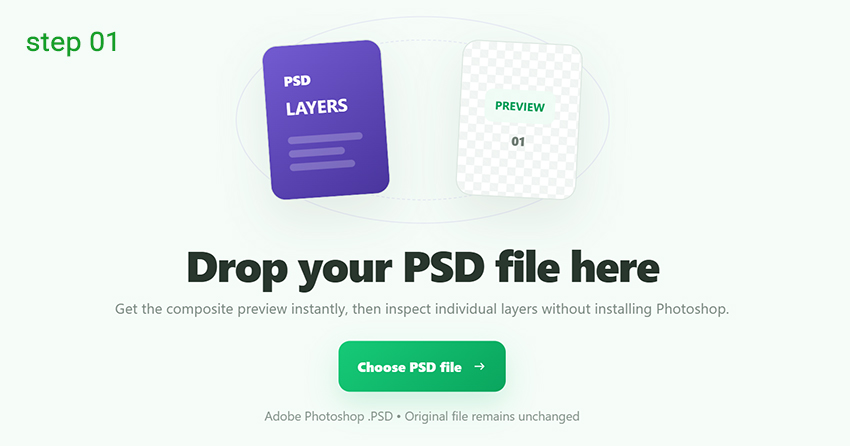
Click Choose PSD file and select a standard Photoshop .psd document from your device. You can also drag the file directly onto the upload area.
Before the full document is opened, the viewer checks the file header to confirm that it looks like a standard PSD rather than a different file that was simply renamed with a .psd extension.
Let the viewer read the PSD structure
After selection, the file is parsed so the viewer can prepare the composite preview and collect information about the document and its layers.
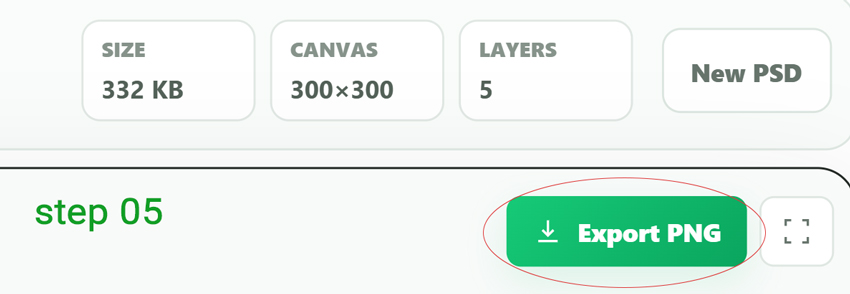
Once the PSD is ready, you will see details such as file size, canvas dimensions and layer count before moving deeper into the document.
Browse the PSD layers and inspect what is inside
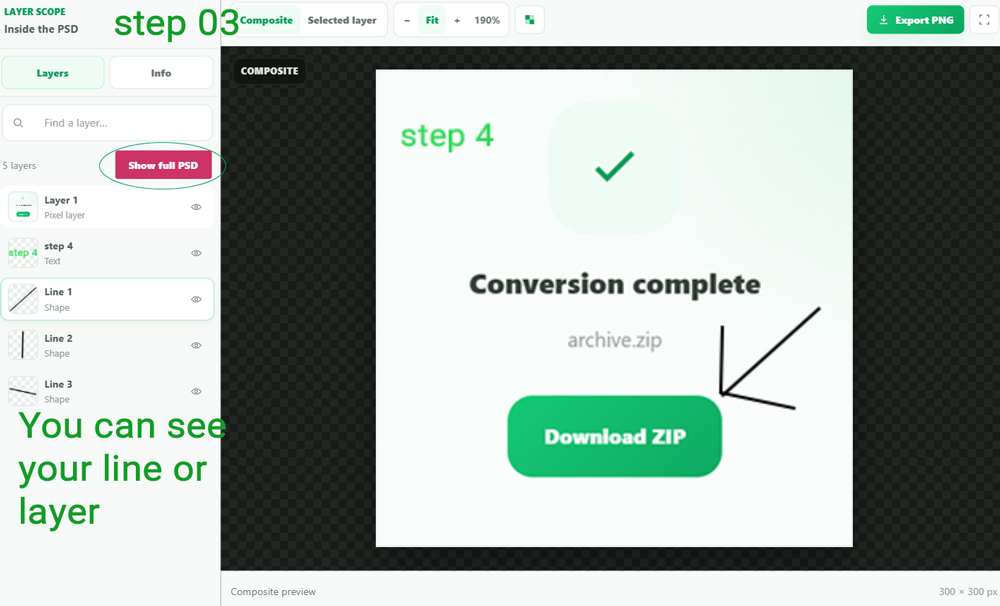
Open the Layers panel to browse the readable layer structure. Each available layer is listed with its name and detected type, making it easier to understand how the Photoshop document was assembled.
Large files can contain many layers, so the layer search field lets you filter the list by name instead of scrolling through the entire document manually.
Switch between the full design and a selected layer
Composite mode shows the complete rendered PSD. When a selected layer contains a standalone raster preview, Selected layer mode lets you inspect that layer separately on the original document canvas.
Use Fit to keep the artwork inside the available workspace, or zoom in and out when you need to check edges, small text, alignment or image details more closely.
Export the full PSD preview or a supported layer as PNG
When Composite mode is active, click Export PNG to save the rendered design as a PNG image.
If you have selected a layer that provides its own raster preview, switch to Selected layer mode first and export that layer instead. The downloaded filename is generated from the PSD name and, when applicable, the selected layer name.
What is a PSD file?
PSD is the native document format commonly associated with Adobe Photoshop. Unlike a normal JPG or PNG, a PSD can preserve the working structure of a design instead of storing only one flattened image.
Depending on the document, that structure may include multiple layers, groups, text, pixel content, shapes, smart objects, adjustments, transparency and other editing information.
That makes a PSD useful for continuing design work, but it also means that simply seeing the final image does not always tell you what is actually inside the file.
Need to look inside a PSD, not edit the entire project?
Full design software makes sense when you need to edit a Photoshop project. It can be unnecessary when your immediate task is simply to identify the file, preview the design, check the dimensions or see which layers are available.
Preview a received design
Quickly inspect a PSD someone sent you before deciding whether you need to open it in a full editing application.
Check document dimensions
Confirm the Photoshop canvas width and height before using the design in another workflow.
Find a named layer
Search the layer list when you already know the name of the component or asset you are looking for.
Export a quick PNG
Create a normal PNG preview when you need a viewable image rather than the editable Photoshop document.
Inspect PSD layers instead of treating the file like one flat image
When readable layers are available, the viewer builds a layer list and identifies several common layer categories. Selecting an item can reveal additional information about that layer.
For layers with valid document bounds, the workspace can show their width and height. It can also display available opacity and blend-mode information.
Logo Smart object
Product Image Pixel layer
Main Heading Text
Background Group
Check technical PSD details without guessing
The Info panel reads several properties directly from the PSD document so you can understand the file before using it elsewhere.
See the document's pixel dimensions.
Inspect the color-mode value stored in the PSD header.
See the bit depth reported by the Photoshop file.
Check how many channels are declared by the document.
See how many layer items were found by the parser.
Confirm the size of the selected Photoshop document.
Composite preview vs selected layer preview
These two modes answer different questions. Composite mode helps you understand how the finished design looks, while Selected layer mode focuses on one supported raster layer inside that design.
Shows the full rendered document as one visual preview.
Displays an individual layer when standalone raster data is available.
Use the checkerboard to see transparent areas more clearly
Transparency can be difficult to judge against a single solid background. The viewer includes a checkerboard stage that helps make transparent and partially transparent regions easier to recognize.
You can toggle that background while inspecting the PSD preview without changing the actual file.
Export a viewable PNG without flattening the original PSD file
Sometimes you receive a PSD but only need a normal image to preview, share or use elsewhere. Export PNG creates an image from the preview currently displayed by the viewer.
The source Photoshop document is not overwritten. Your PSD remains the editable original, while the PNG becomes a separate exported file.
A PSD viewer is useful for inspection, but it is not Photoshop
The goal of this tool is previewing and inspecting supported PSD files. It is not intended to reproduce every Photoshop editing feature in the browser.
PSB files are different
Photoshop Large Document Format files use the .psb format. This viewer currently accepts standard PSD documents rather than PSB files.
Not every layer has a standalone preview
Some Photoshop layers carry useful metadata but do not expose independent raster pixels that can be rendered by the browser.
Complex PSD features can vary
A damaged file or a document using unsupported Photoshop features, color modes or bit depths may fail to render completely.
Your original PSD remains unchanged
The viewer reads the selected document in the browser and builds the preview workspace from that file. Viewing a layer, changing zoom, toggling the checkerboard or exporting a PNG does not rewrite the original PSD on your device.
Questions about opening and viewing PSD files online
How can I open a PSD file online?
Choose your .psd file in the viewer above or drag it onto the upload area. The tool checks the PSD structure, prepares the document and then opens the available composite preview and layer information.
Can I view a PSD without Photoshop?
Yes, for supported PSD files. This browser viewer is designed for previewing the document and inspecting available layer and file information without requiring Photoshop just to look at the file.
Can I see the layers inside a PSD file?
When the PSD contains readable layer information, the Layers panel lists the detected layers and identifies their available types.
Can I search for a PSD layer by name?
Yes. Use the search box above the layer list to filter detected layer names.
Can I preview one PSD layer separately?
Yes, when that layer contains standalone raster data the viewer can render. Select the layer and switch to Selected layer mode.
Why can't some layers be previewed separately?
Some layers contain metadata, adjustments, vector information, groups or other Photoshop structures without a standalone raster image that the browser can display independently.
Can I zoom into a PSD preview?
Yes. Use Fit for an automatic view or the zoom controls to enlarge or reduce the displayed Photoshop canvas.
Can I export a PSD as PNG?
You can export the composite preview as a PNG. A selected layer can also be exported when that layer provides a raster preview that the viewer can render.
Does exporting PNG change my original PSD?
No. The PNG is created as a separate output file. The original PSD remains unchanged.
Can the viewer show PSD dimensions and color information?
Yes. The Info panel can display document dimensions, color mode, bit depth, channel count and readable layer count.
Can I open a PSB file with this PSD viewer?
No. PSB is Photoshop's large-document format and this viewer currently supports standard PSD files rather than PSB documents.
Why won't my PSD file open?
The file may not be a valid PSD, may be damaged, may actually be a PSB file, or may use a Photoshop feature, color mode or bit depth that the browser parser cannot handle correctly.
Open your PSD and see what is really inside the design
Preview the complete Photoshop document, inspect its readable layers, check file information and export the view you need as PNG.