Turn a ZIPX archive into a standard ZIP you can use more easily
ZIPX extends the familiar ZIP format with support for additional compression methods. That can produce useful archives, but it can also create a compatibility problem when the software or device you are using understands normal ZIP files but cannot open the particular ZIPX archive you received.
The converter above opens supported ZIPX archives, reads the files inside, lets you inspect the archive contents and then packages the extracted file data into a fresh standard ZIP.
This is a real archive conversion rather than simply changing
.zipx to .zip. The source archive is read,
its accessible files are extracted and those files are compressed
again into the new ZIP.
This archive converter is part of Xplore File Manager, a collection of browser-based file tools built for practical jobs such as opening archives, inspecting their contents and moving files into formats that are easier to use.
How to convert ZIPX to ZIP online
Start with the original ZIPX. The converter first needs to read the archive successfully before it can rebuild the accessible files into a standard ZIP.
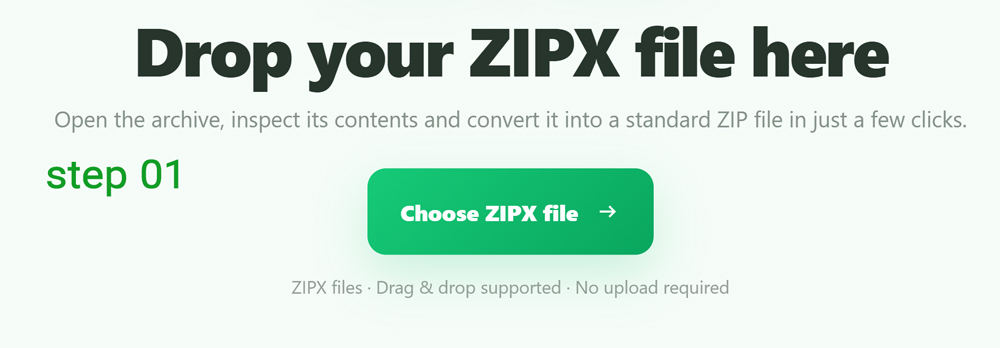
Choose the ZIPX archive
Click Choose ZIPX file or drag your .zipx archive onto the drop area.
The current browser converter accepts archives up to 350 MB. Empty files and files that do not have a recognizable ZIP-compatible archive structure are rejected before conversion.
Let the converter decode the ZIPX archive
ZIPX files can use compression methods beyond ordinary Deflate, so the converter first attempts to read ZIPX with its advanced archive decoder.
When the ZIPX contains ordinary ZIP-compatible Store or Deflate entries, a standard ZIP compatibility path can also be used as a fallback.
Inspect the ZIPX contents before converting
Once the archive can be read, the workspace reports its filename, number of extracted files, inferred folder count and original archive size.
The file list shows each filename, path, detected extension and extracted size. Use Search files when you need to confirm that a particular document, image or folder path exists before building the new ZIP.
Build a fresh standard ZIP
Click Convert to ZIP when the archive report looks correct.
The accessible file contents are placed into a new ZIP archive
and compressed again. Internal file paths are retained where
possible, while unsafe path components such as
.. are removed before rebuilding.
Download the converted ZIP
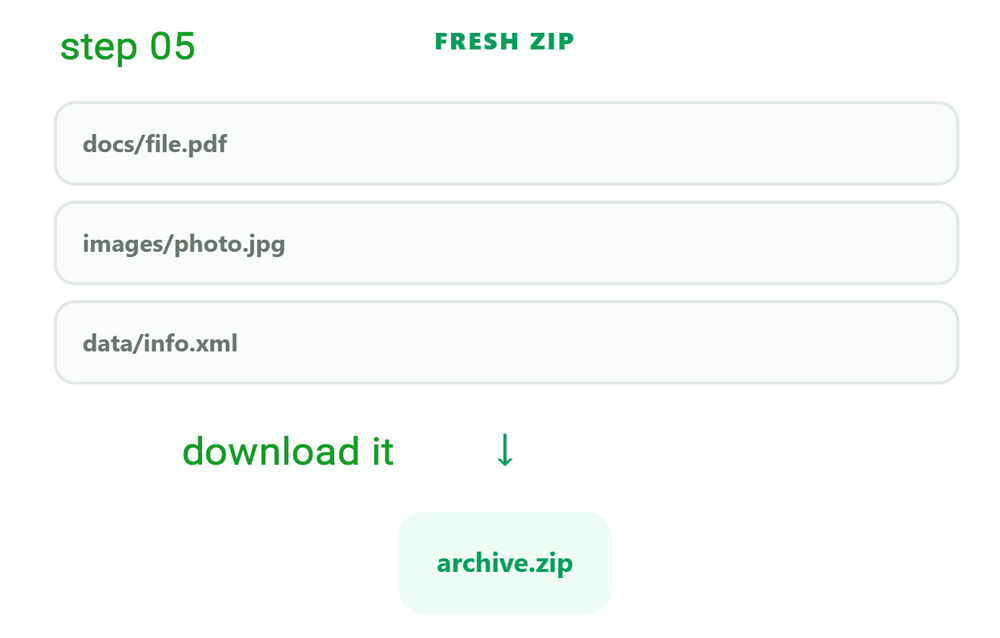
When the conversion is complete, the result panel shows the output filename and final ZIP size.
Click Download ZIP to save the result. A source
file such as project.zipx becomes
project.zip.
What is a ZIPX file?
ZIPX is an extended ZIP archive format associated with ZIP archives that may use newer or less universally supported compression methods. The archive still belongs to the broader ZIP family, but the way individual entries are compressed can differ from a conventional ZIP.
That distinction is why renaming
archive.zipx to archive.zip is not a
reliable conversion method. If the software cannot decode the
compression used inside the ZIPX, changing the extension does not
solve the underlying compatibility problem.
Standard ZIP is usually the safer choice when compatibility matters
Older archive software
A normal ZIP is more likely to open in utilities that do not understand extended ZIPX compression methods.
Web upload forms
Some services explicitly accept .zip archives while rejecting a .zipx filename or unsupported ZIPX content.
Cross-device sharing
Standard ZIP provides a more familiar archive target when files need to move between different systems.
Long-term convenience
Repacking accessible files into standard ZIP can reduce dependence on software that specifically understands the source ZIPX.
The output ZIP is rebuilt from extracted file data
Unlike a simple extension change, the converter actually reads accessible ZIPX entries and constructs another archive from their extracted contents.
This also means the final ZIP is not expected to be byte-for-byte identical to the ZIPX source. Original ZIPX compression settings and archive-specific metadata may differ from the newly generated ZIP.
Why might a ZIPX archive fail to convert?
Encrypted entries
A password-protected or encrypted ZIPX may require capabilities that this browser conversion path does not provide.
Unavailable compression method
ZIPX can contain compression formats that are not supported by the available browser decoder.
Corrupted archive data
The converter can only rebuild files whose source data can actually be read from the ZIPX archive.
Your archive data is processed in the browser
The selected ZIPX is read by the converter in your browser and the new ZIP is generated there. The page loads the archive-decoding libraries it needs, but the conversion workflow itself does not require uploading your selected archive to an Xplore conversion server.
Questions about converting ZIPX archives to ZIP
How do I convert ZIPX to ZIP online?
Choose the ZIPX file, wait for its readable entries to be extracted, review the archive contents and click Convert to ZIP.
Can I just rename .zipx to .zip?
Renaming changes only the filename. It does not convert compression methods used by ZIPX entries, so it is not a reliable way to solve compatibility problems.
Does the converter create a new ZIP file?
Yes. Accessible files are extracted from the ZIPX and compressed into a fresh standard ZIP archive.
Can I inspect files before converting?
Yes. The workspace lists extracted filenames, paths, file types and sizes and includes a filename/path search.
Will every ZIPX file work?
No. Encrypted, damaged or unsupported compression methods can prevent a ZIPX archive from being extracted in the browser.
What happens to duplicate paths?
If extracted files resolve to the same normalized path, the converter creates a unique path by adding a numeric suffix rather than silently overwriting one file with another.
Are unsafe archive paths retained?
Archive paths are normalized before the output is built, including removal of dot and parent-directory path segments.
Are empty ZIPX folders guaranteed to remain?
The conversion is built primarily from readable regular-file entries and their paths. Completely empty source directories are not guaranteed to appear in the rebuilt ZIP.
What is the ZIPX file-size limit?
The current converter accepts archives up to 350 MB.
Does conversion change the original ZIPX?
No. The output is a separate ZIP file and the original ZIPX on your device is not overwritten.
Open your ZIPX and rebuild the readable files as a standard ZIP
Inspect the archive first, then create and download the ZIP when everything looks right.